Add Starcovery to ChatGPT
By Starcovery. Updated .
Add Starcovery to ChatGPT as a custom MCP server, sign in to Starcovery, and find Instagram and TikTok creators from a brief in a ChatGPT chat.
This page covers adding Starcovery to ChatGPT on the web, so you can find Instagram and TikTok creators from a brief in a ChatGPT chat. You add Starcovery once as a custom MCP server, sign in to Starcovery, and then pick Starcovery in any chat.
Starcovery is not listed in the ChatGPT plugin directory. You add it by its address:
https://www.starcovery.com/api/mcpBefore you start
You need ChatGPT on the web, in a plan that can run Starcovery searches. OpenAI's Developer mode and MCP apps in ChatGPT lists full MCP support for these plans:
- Business: only a workspace owner or admin can add a custom MCP server.
- Enterprise and Edu: owners and admins, and members an admin grants developer access.
On Pro, OpenAI allows read and fetch tools only. A Starcovery search counts as a write action in ChatGPT, because it spends a search use, so on Pro, ChatGPT can connect Starcovery but cannot run a search. The Free and Plus plans are not on OpenAI's list, so they cannot add Starcovery.
You also need a Starcovery account. ChatGPT asks you to sign in to Starcovery when you connect it.
Add Starcovery
Open Add custom MCP server
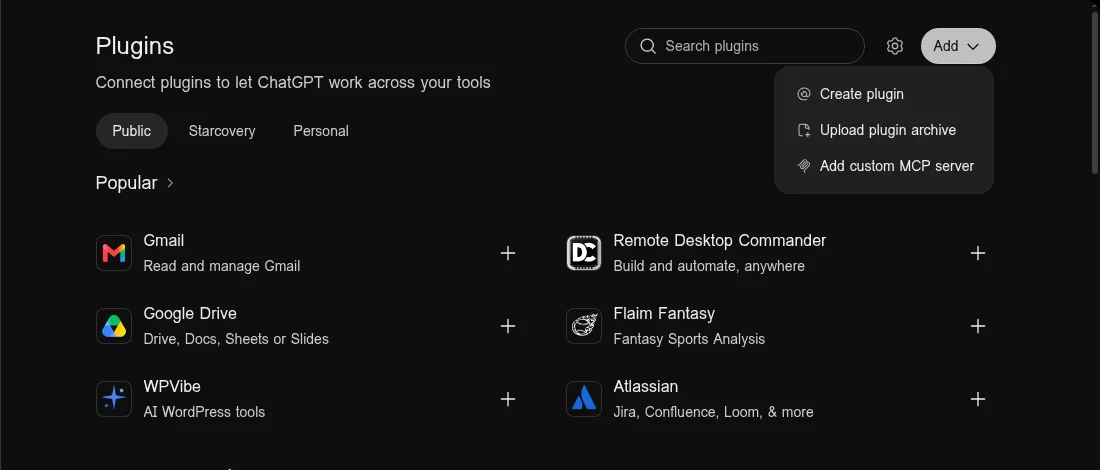
In ChatGPT, open Plugins in the left sidebar. Select Add, then Add custom MCP server.
Enter the Starcovery address
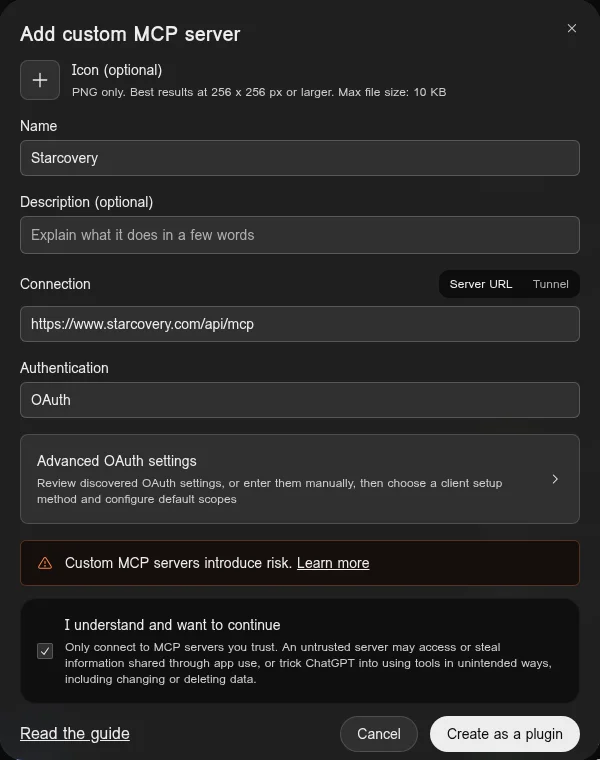
- Under Name, enter
Starcovery. - Under Connection, keep Server URL and paste
https://www.starcovery.com/api/mcp. - Under Authentication, keep OAuth.
- Read the risk warning and check I understand and want to continue.
- Select Create as a plugin.
Sign in to Starcovery
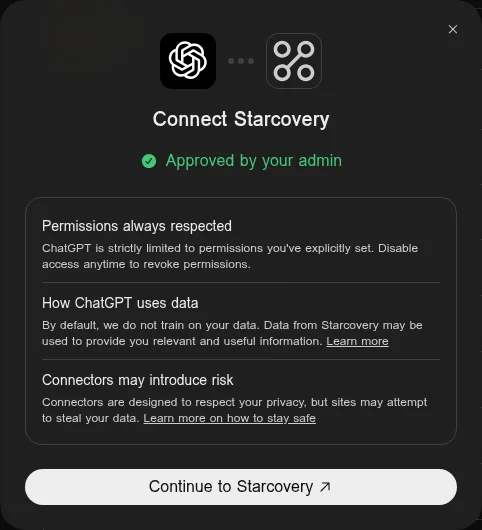
Install the plugin when ChatGPT offers it. When ChatGPT connects Starcovery, it shows Connect Starcovery. Select Continue to Starcovery.
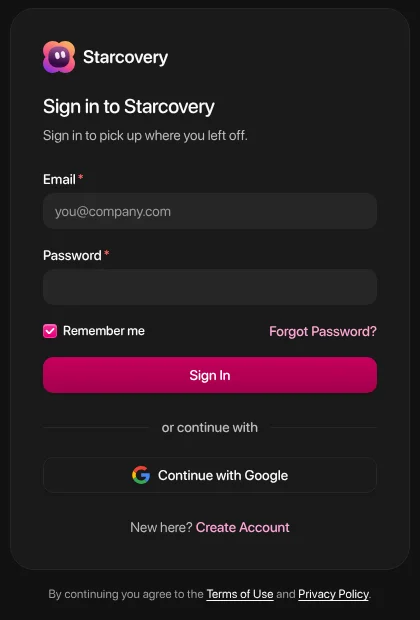
Sign in to Starcovery with your email or with Google. On the consent screen, pick the organization whose credits ChatGPT spends under Give access to, then allow access.
Check the tools
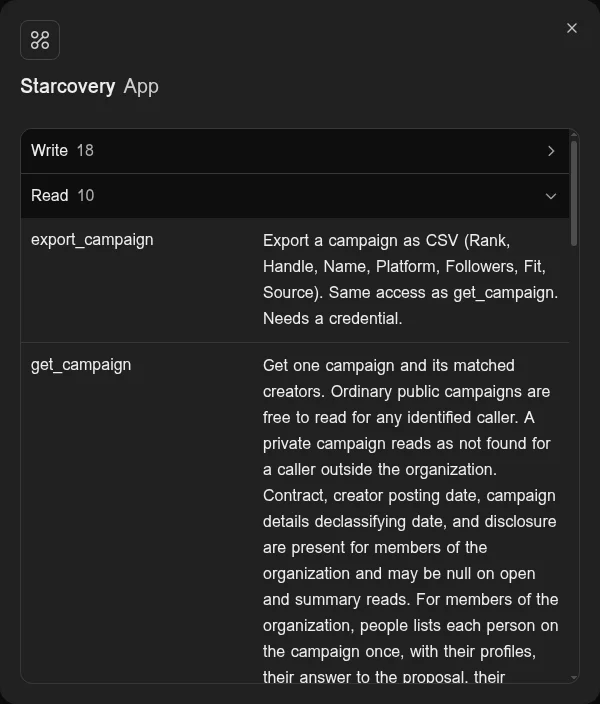
Open the Starcovery plugin and select the Starcovery app to see its tools. ChatGPT sorts them into Write and Read. Searches and changes to Lists and campaigns are under Write.
Find creators in a chat
Pick Starcovery and describe the creators
Start a new chat, type @, and pick Starcovery. Then describe the creators you want:
Find 10 US fitness creators on Instagram with 50k to 200k followers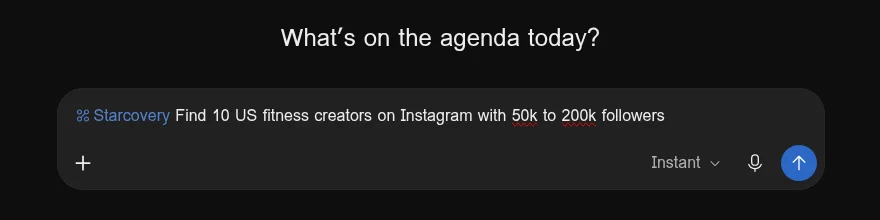
Approve the search if ChatGPT asks
A Starcovery search is a write action, and ChatGPT can ask you to approve a write action before it runs. When ChatGPT asks, check the brief and approve it.
Read the creators
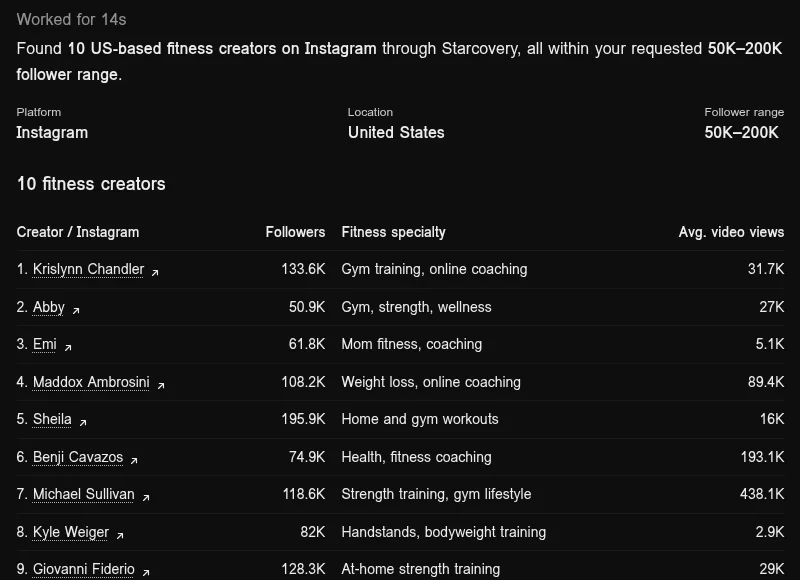
ChatGPT lists the creators Starcovery found, with their followers and what they post. Ask for changes in the same chat, such as fewer followers or another country.
Each search spends one use of your daily grant, then one prepaid credit of the organization you picked. See Pay for API calls without a subscription. To give your workspace the plugin, an owner or admin selects Publish to workspace on the Starcovery plugin settings page.
For other assistants and the full tool list, see Call a creator database over MCP.
Call a creator database over MCP
Connect a Streamable HTTP MCP client to Starcovery by bearer token or OAuth to search and enrich creators, reveal contacts, run campaigns, and read credits.
Add Starcovery to Microsoft 365 Copilot
Install the Starcovery agent in your Microsoft 365 organization so people can search creators, save Lists, reveal contacts, and run campaigns from Copilot.